

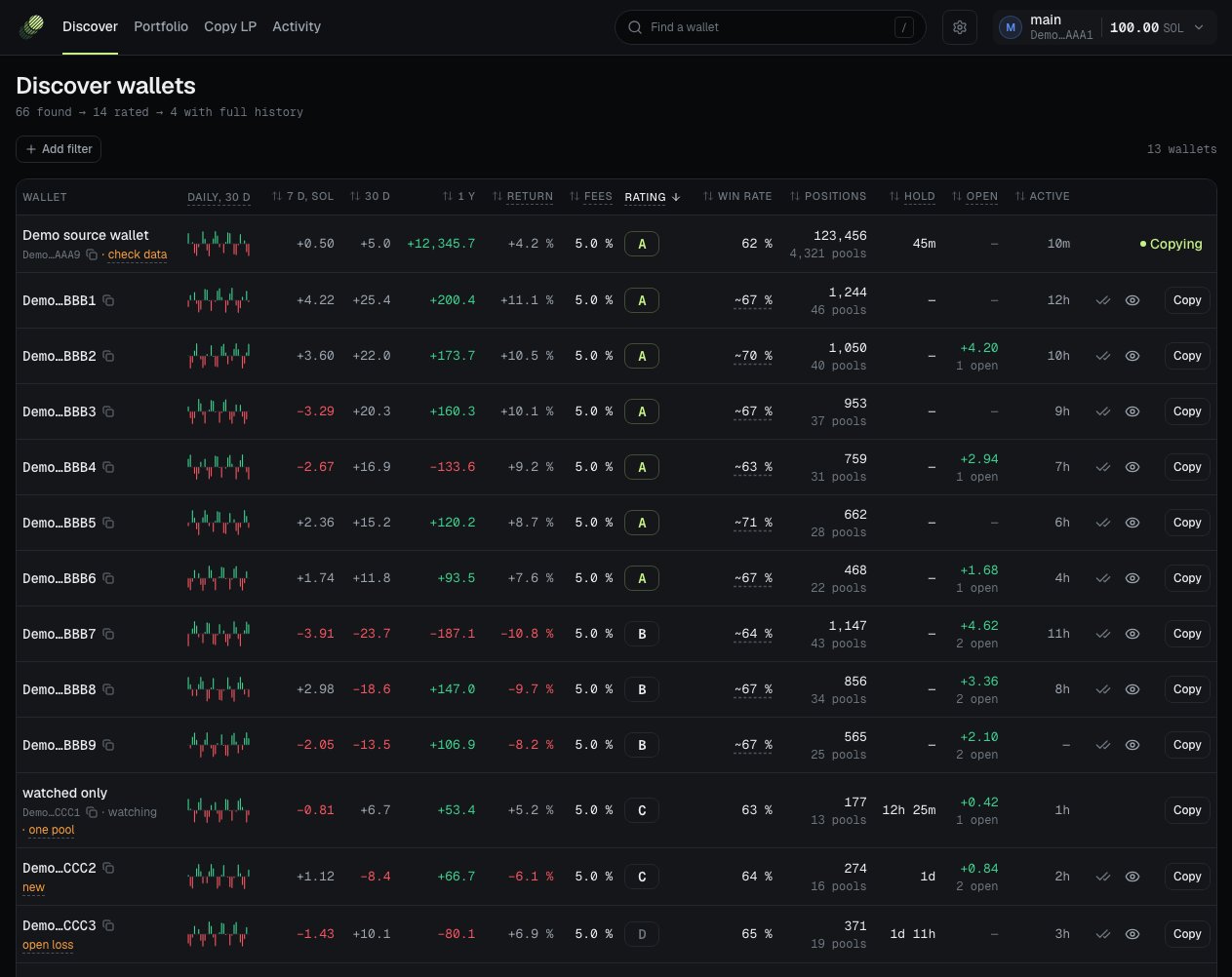
Demo data.
The top line
Under the title Discover wallets, a line shows how far LP-Mimic got, ”… found → … rated → … with full history”.- found: wallets LP-Mimic has seen in busy pools.
- rated: wallets with enough data for a rating.
- with full history: wallets whose every position LP-Mimic has read. Some figures, such as Hold, exist only for these.
The columns
Press a column title to sort by it.
Flags
A flag is a short mark in the Wallet cell. Point at it to read why.
Flags never hide a wallet. They only warn you.
Rating
The rating is one grade for each wallet: S+ (best), then S, A, B, C, and D (nothing left). The grade is based on:- Fees. The fees the wallet earned in the last 30 days for each SOL it put in, less a loss it holds open now.
- Fees left after price moves. Half of the fees count only as far as price moves left them. Price gains do not count.
- Copy cost. An estimate of what a copy loses against its source. On Discover this is a default estimate, marked “default”.
- Trust. A short, thin or quiet record lowers the grade. A wallet whose gains came mostly from one pool is lowered too.
Some caps hold a grade lower:
- At most C: the wallet did not open or close a position for a week.
- At most A: the last 30 days lost money.
- At most S: price moves took over three quarters of the fees.
The rating looks back. It says how the wallet did, not how it will do. A wallet can change how it trades, stop, or lose money at any time.
Filters
Press Add filter to narrow the list. Each filter shows as a chip that you can change or remove.Actions on a row
Mark as seen and Watch show only for a wallet that is not on your copy list yet.
If the wallet’s address has the same first and last 4 characters as a wallet you know, the console warns you before it adds it. Scammers make such addresses. Compare the full addresses.
Read Copy settings before you press Start copying. LP-Mimic copies a wallet from its next new position. Read How a copy works.